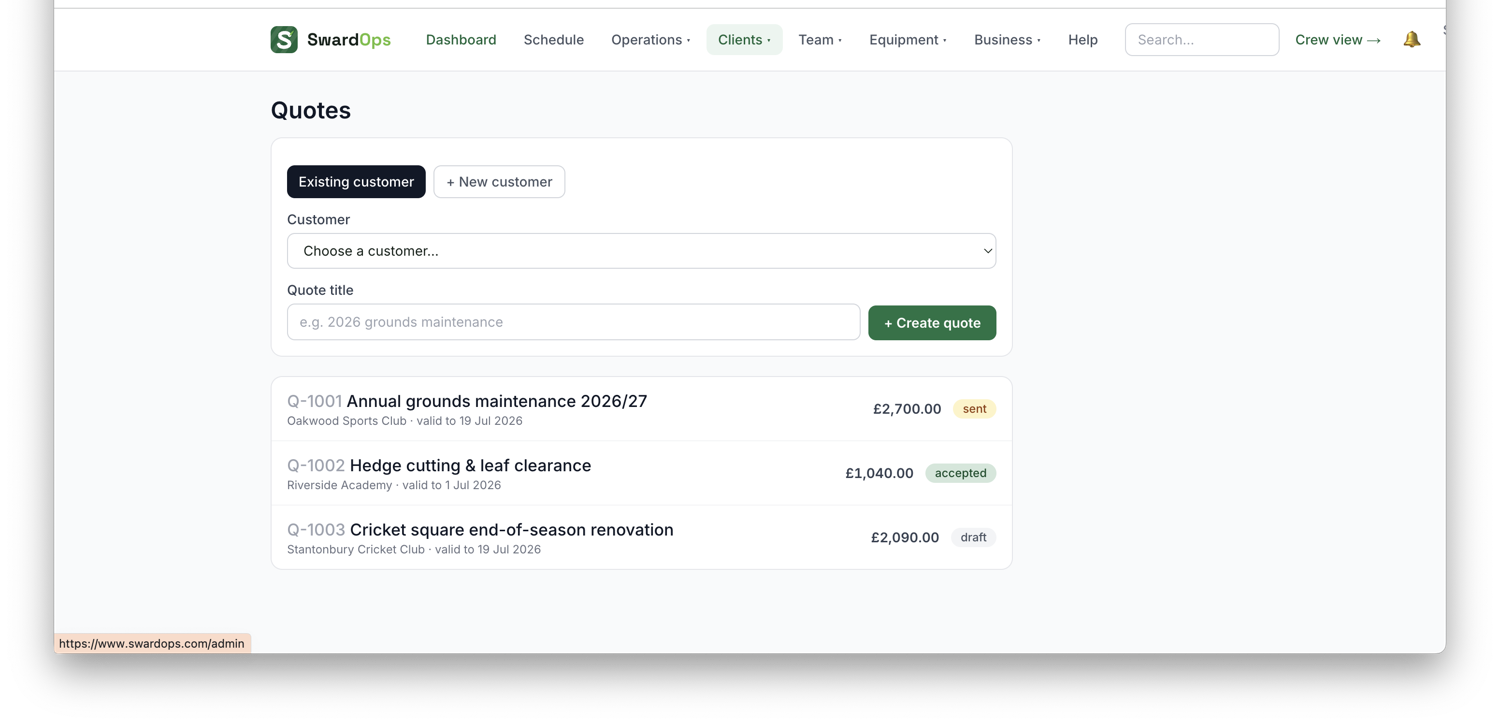
Clients → Quotes lets you build and send professional quotes.
- Create a quote against a client/site and add line items, pull them from your price book so pricing is consistent.
- Optionally group lines into packages (e.g. bronze / silver / gold) so the client picks the option that suits them.
- Optionally set a deposit %: the client pays it by card the moment they accept. A bank-transfer deposit goes out as a deposit invoice from the quote page — set Works commencing next to the button and the email and invoice line say "for works commencing on Tuesday 20 October 2026"; blank leaves the wording as it was. It's saved on the quote, so a resend carries it.
- Send it, the client gets a clean, branded quote page and can accept online in one tap.
Price from the map, not a guess. Open Measure on the map in the quote builder: draw the areas on the satellite view, or hit Use this site's mapped areas to pull in the zones already drawn on the site's map. Then pick what you'll cut with: SwardOps knows each machine's real work rate (acres logged by your crews divided by the hours they timed on it) and its true cost per hour, so the suggested price is that machine's time plus labour at your target margin. The line it adds says what it was based on. No acres logged yet? It falls back to the machine's rated speed, then to your company m²/hr setting.
The moment a quote is accepted, everyone in your office gets a notification with the package and total, and (if you turn it on under Settings → Client notifications) the client gets a confirmation email too.
Quotes have a validity date, and it's enforced: a lapsed quote can't be accepted online at the old price (the client sees an "expired) get in touch" note instead. If a client accepts over the phone, use Mark accepted (you'll pick which package they chose).
From an accepted quote, one click creates the job on the schedule (with the quote lines as crew tasks) and the invoice can raise itself automatically when the job's completed, crediting any deposit already paid.
Finished work tidies itself away: once the invoice for an accepted quote is sent, the quote flips to complete automatically and drops out of the open quotes list (the Complete filter shows the history; voiding the invoice puts it back). You can also mark one complete by hand from the ⋯ menu — handy for jobs billed outside SwardOps.
What we'll do, then what it costs. The quote page has a What we'll do box: the scope of works, shown above the prices on the client's page and PDF, so they read the plan first and the money second. It takes simple formatting — bold (like this), underline (like this), bullet points (a line starting "- ") and headings (a line starting "# ") — and the same works in the Notes under the prices. There are B / U / list buttons on the box, or just type the marks.
The client's copy, your way (Settings → Clients → Quotes & branding): Hide units from the client keeps your per-unit pricing for costing and margin but prints quantity and price only, and VAT on every line adds a VAT % column so nobody has to ask whether a line is inc or ex. Deposit on every new quote sets a default percentage and how it's paid (card link or bank transfer) for every quote from then on; a quote you've already got keeps its own. Agree dates first, then send the deposit means accepting a quote never lands the client on a payment screen — you agree the start date, then send the deposit invoice from the quote page.
Find a service. In the quote builder, type into Find a service… and pick from the matches (Enter takes the top one), or start typing a service name straight into a Description box — when it matches, the unit, price and cost fill themselves in.
No email on the client? The quote page says so and takes one — it goes straight onto their record.
Make it personal: on the quote page you can pick which site the quote is for (shown on the client's quote page and the PDF) and write a covering message that appears at the top of their page and email. The standard email wording itself is editable too — see Settings.
Follow-ups run themselves: a sent quote that's gone quiet gets a friendly "any questions?" nudge after 3 days and a second after 7 — automatic, and never doubling up with one you've sent by hand (toggle under Settings).
Reusable templates: save any quote's lines, packages and notes as a quote template and start the next one from it in a click.
One line → its own round ("3 of 18"). Some quotes are really a programme: an initial job plus a run of repeats — line marking with 18 overmarks, a spraying programme, a set of aeration passes. On an accepted quote, under Next step, use Or make a round from a single line. Each line is listed; press → Round on a line and it becomes its own round: a quantity of 2 or more makes a repeating round at the cadence you choose (weekly, fortnightly, 4/6/8-weekly, monthly), priced per visit from that line and ending exactly on the last one; a quantity of 1 makes a one-off. Choose Invoice each visit automatically and every completed visit raises an invoice for just that one visit, labelled "Overmark (3 of 18)". The quote shows each line's progress (done · invoiced · to go) with a link to its round, and the round's header shows the same. One round per line; once any line has its own round the whole-quote Create job button is switched off so nothing gets booked twice. "Invoice this job" on that round only ever bills its own line.