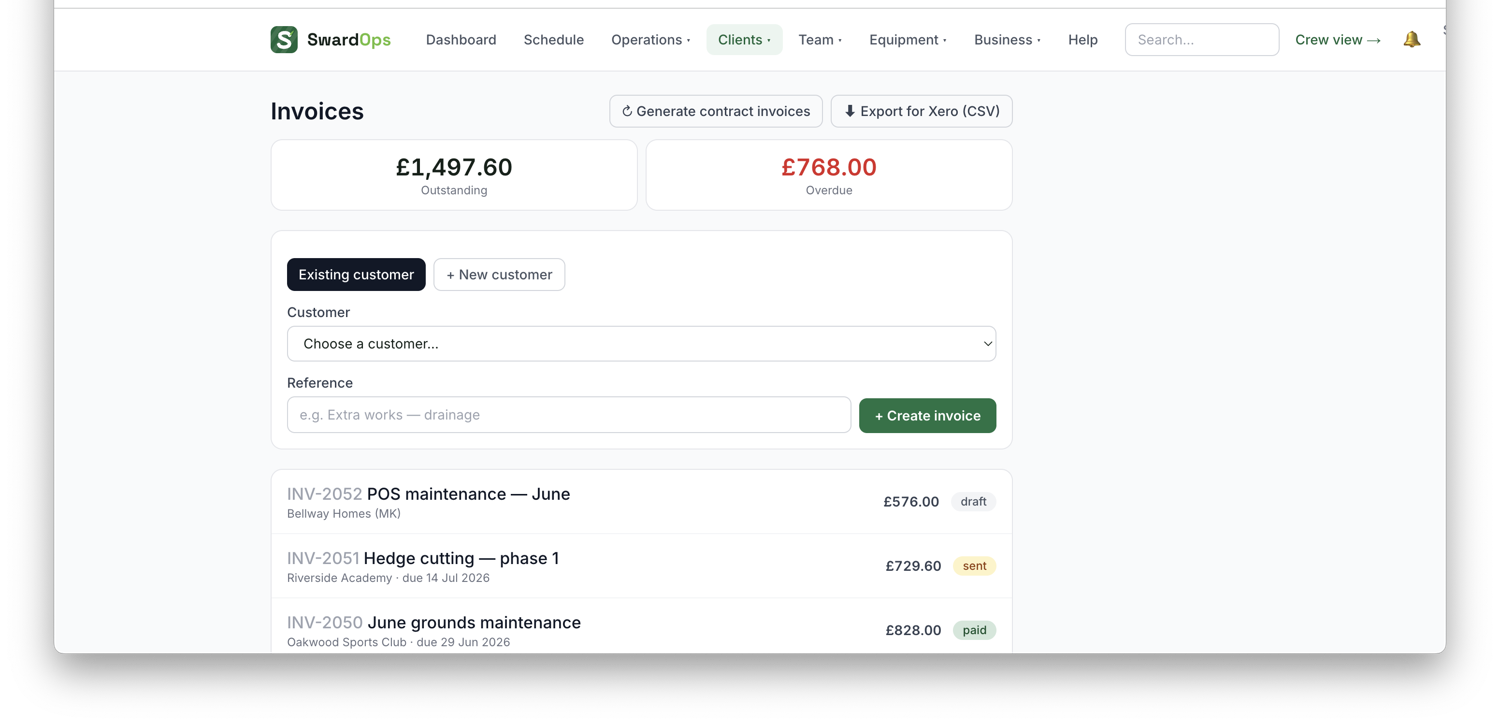
Clients → Invoices is where you bill and get paid.
- Raise an invoice, the fastest way is the Invoice this job button right on a job or visit page, which pre-fills the client and lines. You can also raise from a quote or from scratch.
- Send it. It goes to the client's billing contacts and they get a branded invoice page.
- If you've connected Stripe, clients pay by card online from that page; GoCardless collects by Direct Debit. Collecting in person? The invoice page shows a QR code the client scans to pay on the spot.
Site walk-round videos. A job’s Designs & docs takes video as well as plans and drawings. Record a walk-round explaining what needs doing, upload it to the job, and it plays on the team leader’s screen when they open that job — they don’t download anything. A minute or two at 1080p is the sweet spot; the cap is 200MB and 4K blows through it.
They can watch it before the day, not just on site: a job carrying a video shows a ▶ Video pill on its tile in Today and My week, and Today has a Tomorrow list so the next day’s job is one tap away the night before. If you want them told as it lands, Settings → “Tell the crew when you add a video” pushes everyone down for the job’s next visit, with a link straight to it.
Changing the wording before it goes. If client emails are parked for checking (Settings → “Check client emails before they go”), the preview page has an Edit the wording button. Change the subject, type straight into the message, Save. It doesn’t send — you get the preview again and the Send button, and what you saved is exactly what lands. Same for statements, quotes and reminders.
Hands-off Direct Debit. Set a round to invoice on completion and the invoice raises itself the moment the visit is signed off. If that client has a live GoCardless mandate and you switch on Settings → Operations & compliance → Collect auto-invoices by Direct Debit, SwardOps asks GoCardless for the money too, and the payment records itself and marks the invoice paid when it clears. So the whole chain runs without you: raised, sent, collected, reconciled. Clients without a mandate are simply invoiced as normal, and an invoice held for review never gets collected — if you've asked to check it first, nothing is taken until you send it yourself. It's off until you turn it on.
Same job again? Duplicate it. On an invoice, ⋯ → Duplicate this invoice copies every line — descriptions, quantities, prices, discounts — onto a new draft for the same client, with a fresh invoice number and today's date. Nothing of the original comes across: no payments, no credit notes, no client link, no PO number, and it isn't marked sent or exported to your accounts. Check the dates and prices, change anything that's different this time, then email it as normal. Handy for a round of work you repeat month after month.
Money is tracked properly: record part-payments (cash, cheque, bank, card), issue credit notes, and print a running client statement. The invoice shows the live balance and marks itself paid at zero — and if you turn on the payment thank-you under Settings → Client notifications, the client gets a "thanks, all settled" email the moment it's paid, whatever way they paid.
Invoices sync to Xero, QuickBooks or Sage if connected. Set your invoice due-days, bank details and notes template in Settings, and each client can carry their own payment terms that override the company default.
Does a payment made in your accounts package come back to SwardOps? It depends which one, so it is worth knowing before you rely on it:
- Xero — yes, straight away. Mark the invoice paid in Xero and Xero tells SwardOps within seconds. SwardOps records the settlement as a payment, marks the invoice paid and stops chasing it.
- Sage — yes, by the next morning. Sage has no way of telling us the moment it happens, so SwardOps checks overnight and picks up anything settled during the day.
- QuickBooks — no, not yet. The invoice goes out to QuickBooks, but a payment recorded in QuickBooks does not come back. SwardOps will still show it as owed, and will keep chasing it, until you record the payment in SwardOps too. If you take payments through QuickBooks, record them in both places for now.
Monthly roll-up billing: for clients who'd rather have one bill, set their billing mode to monthly and SwardOps rolls the month's visits into one itemised invoice on the day you choose.
Tips: switch on tipping (Settings → Payments) and the card-payment page offers a small optional tip — recorded separately so your ledger stays exact.
Not VAT registered? Untick "VAT registered" in Settings → Quotes & branding and every new quote and invoice defaults to 0% with no VAT line shown anywhere.
Rounds paid per visit. On a recurring round, Invoice this job raises a new invoice for the visits completed since the last one — one dated line per visit at the round's per-visit price — rather than reopening an old invoice. A one-off job, or a round with nothing new completed, opens the invoice that already exists. For a round made from a quote line the lines read "Overmark (3 of 18)". If you'd rather not press anything, tick Auto-invoice each completed visit on the round (with hold for review if you want to check before it sends) and each finished visit invoices itself.