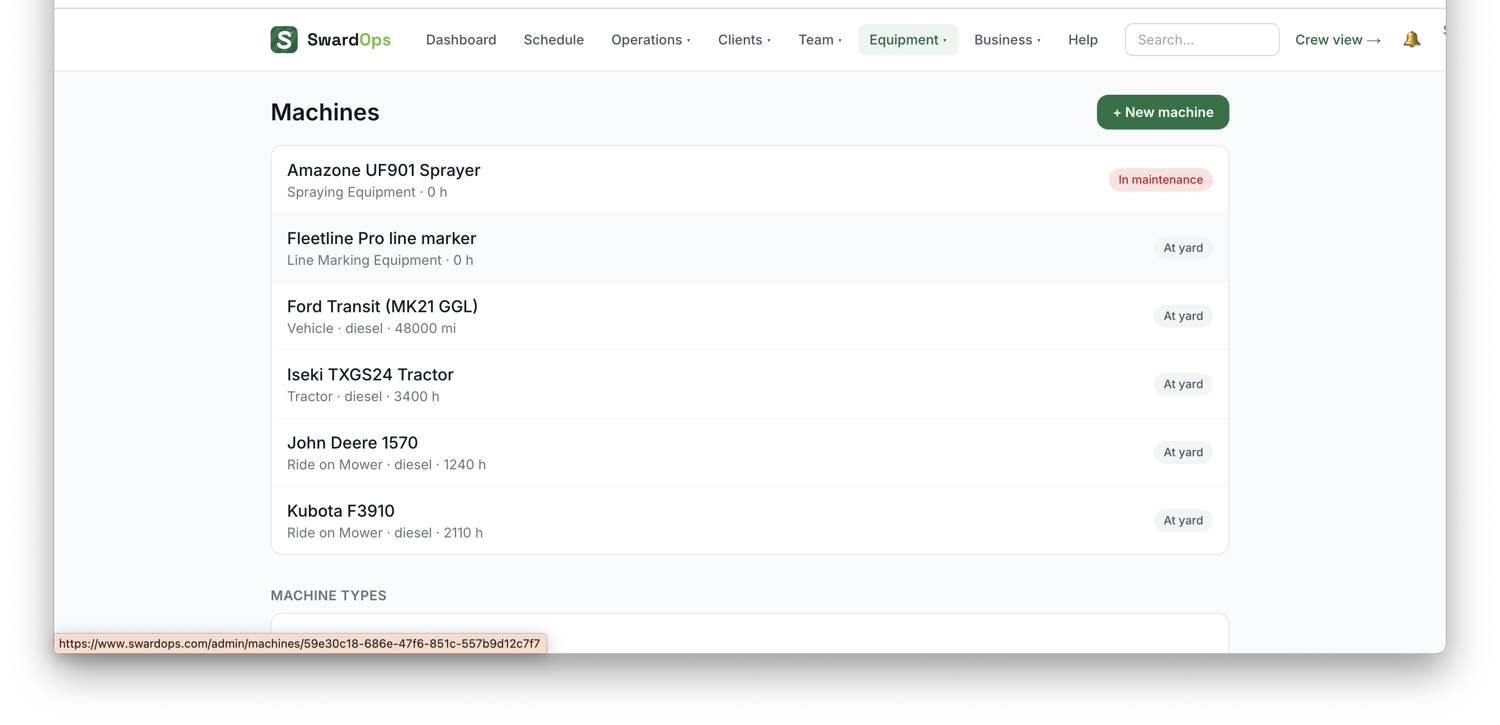
Equipment → Machines is your fleet register. For each machine you can track LOLER, PUWER and MOT / inspection due dates, and SwardOps reminds your office when any are within 14 days or overdue.
- Service intervals can be tracked by hours or, for vehicles, by mileage.
- Checks: crews complete pre-use, end-of-use and weekly checks on their phones, using templates per machine type (you edit these under Settings → Machine checks). A "not safe to use" answer flags the machine; crews can also report a fault straight from their Today screen, which opens a fault card and notifies the office. How the daily checks behave on the phone — the morning catch-up, what counts as done, and what to do if it still shows as outstanding — is in Daily machine checks on the phone, below.
- Fuel: bulk fuel tanks with delivery logging and reorder alerts; crews log every fill from the yard tank or a petrol station, and the tank level tracks itself.
- Running costs: give each machine its purchase/finance/insurance figures and SwardOps works out a cost per operating hour, which feeds job profitability and a fleet-costs report.
- Some machines can require training before crew may take them, see Training & equipment locks under Your team.
- Mark a machine off-road / in maintenance with an expected-back date, and you'll be reminded if it's overdue back.
- ⚡ Available now: a live board (linked from the Dashboard) of what kit is in the yard and ready right now, for planning emergency jobs.
- Cost per m²: give a machine its work rate (m²/hour) on the Costs tab and SwardOps turns the £/hour into £ per 1,000 m² for pricing area work.
- Vehicles & towing: the morning briefing asks who's taking which vehicle and whether they're towing, and records the odometer; the end-of-day check already knows, and unexplained overnight mileage is flagged to the office.